
Rockwall County IVSS Coverage
Texas currently directs county-custody searches and registration through IVSS-Counties. Use it for one specific person in a participating county system. Select or confirm Rockwall County, enter the identifier requested by the live service, and compare enough identity detail to avoid choosing another person with the same or similar name.
The service’s own search screen warns that a person no longer in custody may not appear. That limit matters for released-inmate checks. A missing result does not say why Rockwall custody ended, whether another agency received the person, or whether the record has updated. The Sheriff’s weekly Release Audit Trail is the official local after-custody record.
The county IVSS search shown below documents the current county-specific entry point and its caution about people no longer in custody.
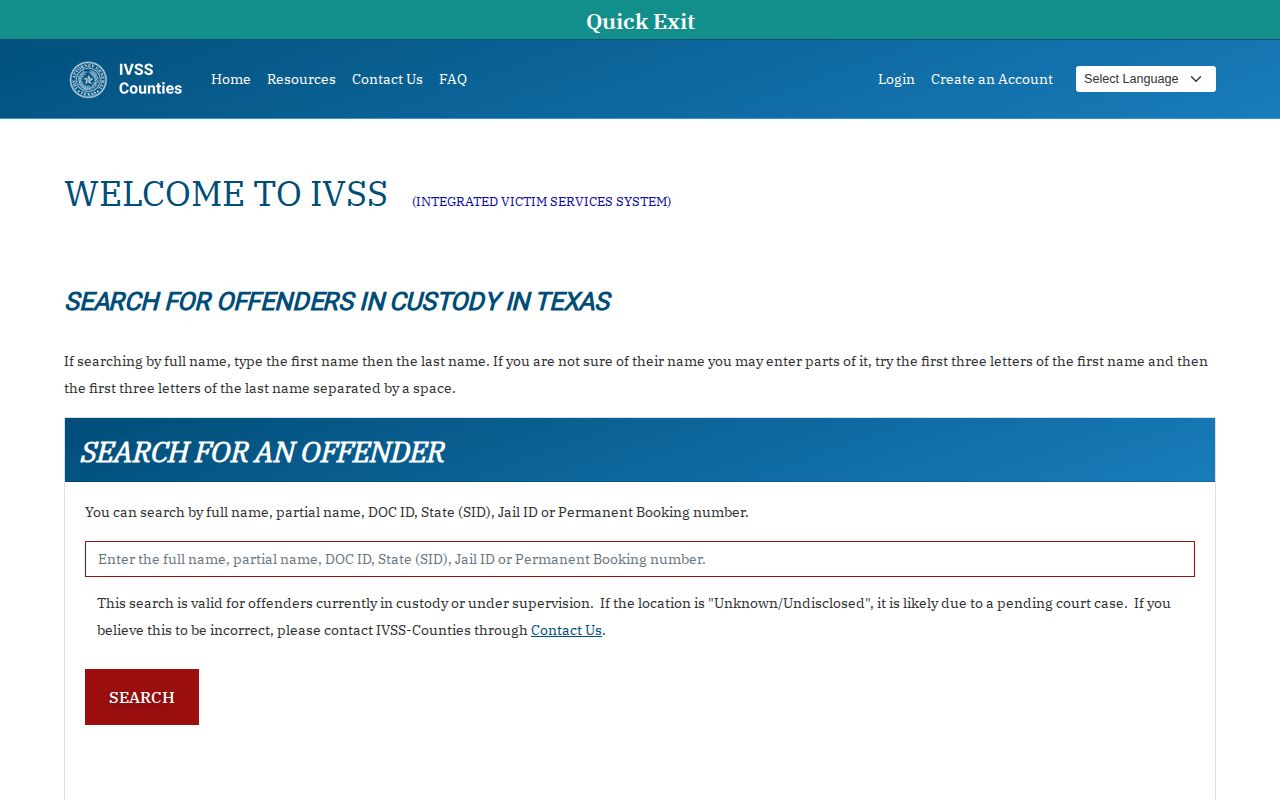
The warning is why an unsuccessful search must be followed by a Rockwall audit or direct agency check.
Search a Rockwall Inmate
Begin with the custodian, not just the person’s last known city. IVSS-Counties covers participating county custody. A transfer labeled “Released to DOC” belongs in the separate TDCJ system. A Rowlett arrest may have gone to Rockwall or Dallas County.
- Open IVSS-Counties and select or confirm Rockwall County as the facility or county context.
- Enter the person’s name or identifier requested on the live screen. Use the SO number or another reliable identifier when available.
- Compare the displayed identity information with known facts. Do not open a record based on a common name alone.
- Open the matching custody record and read the status actually shown. Note the facility and the time of the check.
- If the record reports release, compare it with the Sheriff’s weekly audit for the exact Rockwall time and reason. If no result appears, use the audit and call the release desk.
The broader Rockwall County released inmate search routes a named-person check through the jail, court, TDCJ, and federal paths. IVSS is one channel within that process, not a universal locator.
Rockwall VINELink Result Details
The live interface controls which fields are available. Read only what the selected record displays. Do not infer a booking photo, offense history, court outcome, or final release destination from a custody-status result.
| Result element | How to use it |
|---|---|
| Name and identifier | Confirm the match and reduce the chance of a same-name error. |
| Custody status | Read the status as shown at the time of the check; it may reflect current custody or a change. |
| Facility or county | Confirms which participating custodian supplied the record. |
| Notification option | Opens the available registration path for that matching record. |
| Contact channel | Shows the phone, email, or other methods currently offered by the live workflow. |
| Confirmation control | Completes account or contact verification and helps preserve the subscription. |
A “released” status is a custody-change report, not a full legal narrative. It may not distinguish bond, time served, judge release, transfer to TDCJ, another jail, or federal custody. Rockwall’s audit supplies the exact local event time and the Sheriff’s release-reason label.
Register for Rockwall Notifications
Registration should begin from the correct person’s record. Available contact methods can change, so use the choices displayed on the current portal. Enter contact information accurately and keep the registration details in a secure place.
- Open the matching Rockwall County custody record and choose its notification or subscription function.
- Select an available phone or email channel. Use a contact method that can be checked reliably.
- Enter the requested contact information and review it for errors before submitting.
- Complete the current on-screen confirmation or account-verification step. Follow a four-digit PIN instruction only if the active telephone workflow asks for one.
- Retain the registration reference. Update the subscription if the contact changes, and register again in the appropriate system if custody transfers.
Legacy VINE telephone workflows can use a four-digit PIN to acknowledge alerts. The current web portal may instead use account or contact verification. Do not invent a PIN or assume an older telephone process controls a modern screen.
The current IVSS account-registration screen documents the web confirmation route.
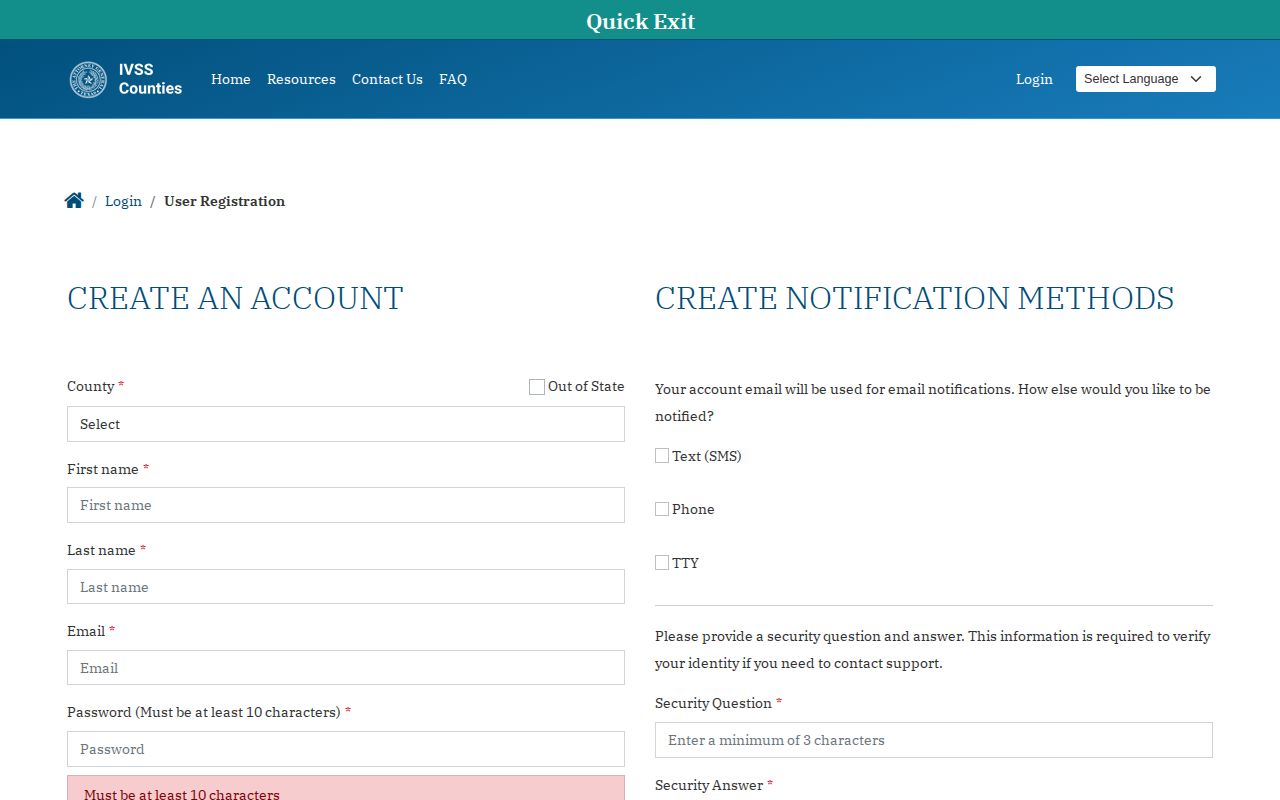
Complete every live confirmation step so the chosen contact channel is tied to the intended subscription.
Rockwall Transfers Need TDCJ IVSS
TDCJ operates a separate IVSS path for people in state custody. When Rockwall’s Release Audit Trail says “Released to DOC,” the county timestamp proves the endpoint of Rockwall custody. It does not prove community release. Allow for intake and data-update time, then use the TDCJ offender search to confirm the state identity and status.
After matching the TDCJ record, register through the state-custody subscription route. A county registration should not be assumed to follow the person into TDCJ. The state instructions allow a specific-person search using a name, SID, or TDCJ number and direct the user to open “View Details” before subscribing.
The TDCJ IVSS instruction screen shown here confirms that state search and subscription path.
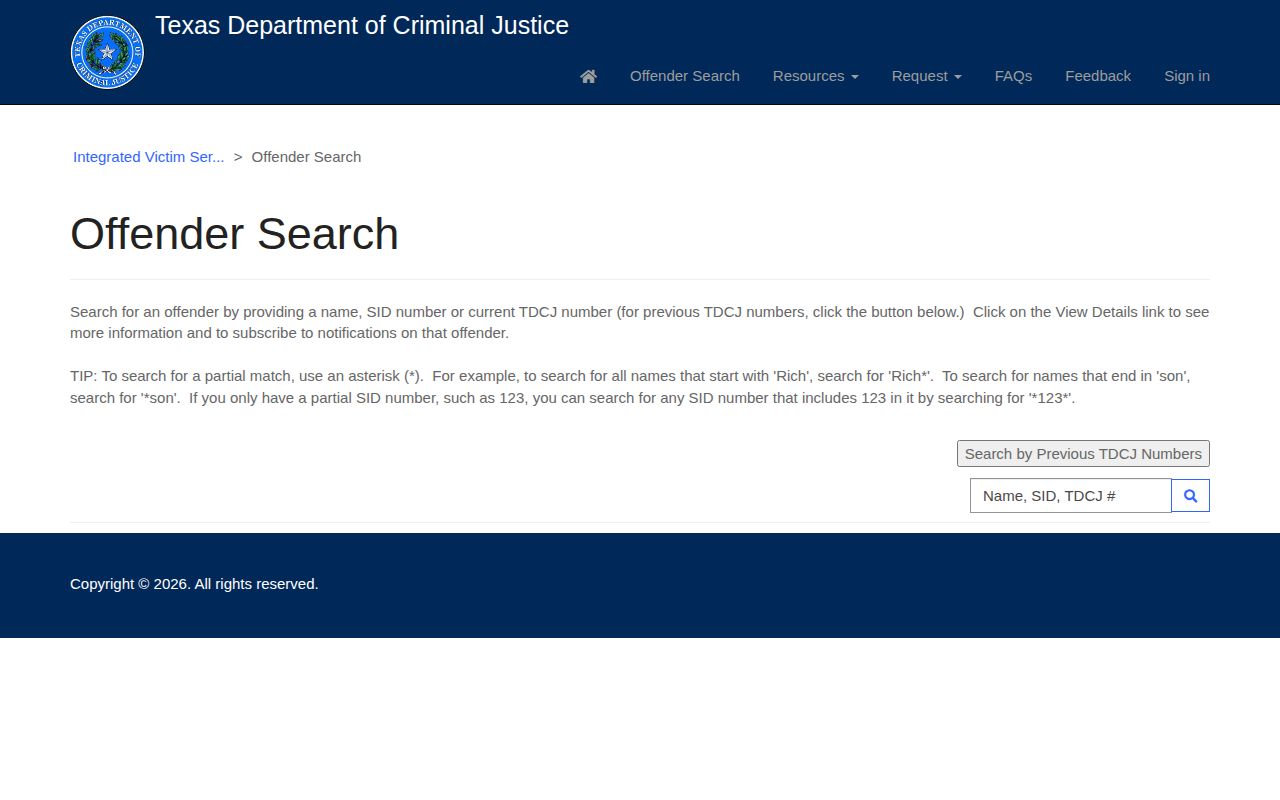
This separate state route is required because Texas county and TDCJ notification registrations are not one continuous subscription.
Verify a Rockwall Release Alert
Record the alert time, the exact wording, and the system that sent it. Then open Rockwall’s weekly Release Audit Trail. Match the person and read “Release Reason Desc.” If the newest report predates the alert, call Admissions and Release at 972-204-7108 with the name and SO number.
An alert can arrive before or after a public website changes. Data entry, system availability, and transmission delays all affect timing. The correct response is cross-channel verification, not declaring one system wrong based on a single snapshot. If staff cannot supply the needed record, use the county public-information form.
For a bond or judge release, the Rockwall judicial portal can supply the durable case record. A release alert does not establish dismissal, conviction, sentence completion, or the absence of court conditions.
Rockwall VINELink Check Limits
IVSS is useful for a specific-person custody check and for notifications, but it has clear boundaries. It does not create a certified legal record. It may lag, omit someone who is no longer in custody, or reflect a transfer without naming the practical outcome. A registration may fail if contact details are entered incorrectly or a confirmation step is not completed.
- County IVSS does not automatically follow a transfer to TDCJ.
- Texas IVSS does not replace BOP, ICE, or USMS channels.
- A missing county result does not prove release.
- A release alert does not give the full court disposition.
- The Sheriff audit remains the source for Rockwall’s exact release reason and time.
For urgent safety concerns, contact the appropriate agency or emergency services. Do not rely only on an email or automated telephone delivery.
Note: Save the date and time of every status check because public results can change as agencies update custody data.
Federal Custody Beyond Rockwall IVSS
Rockwall’s audit uses “To Federal Authority,” but that phrase does not identify BOP, ICE, or USMS. Request the transfer sheet or receiving-agency field from the Sheriff before choosing a federal locator. A sentenced federal person may appear in the BOP Inmate Locator. An immigration detainee may appear in the ICE Online Detainee Locator System.
USMS often handles federal pretrial detainees and prisoners in transit through a network of facilities. Such a person may not appear as a current BOP inmate. Use the USMS prisoner-information route, federal court record, or responsible office when that agency is involved.
| Custody system | Notification or verification route |
|---|---|
| Rockwall County jail | IVSS-Counties, Sheriff audit, and Admissions and Release. |
| TDCJ state custody | TDCJ offender search and separate TDCJ IVSS subscription. |
| BOP federal sentence | BOP locator and agency records. |
| ICE custody | ICE detainee locator and responsible field office. |
| USMS custody | USMS, federal court, or contract-facility routing. |
Rowlett Alerts Require County Check
Rowlett’s municipal detention facility temporarily holds people before some transfers. Its official detention page says Class B-or-higher prisoners may go to Dallas or Rockwall County jail. Because the city spans county lines, do not assume a Rowlett arrest belongs in the Rockwall IVSS context.
Call the Rowlett Police detention facility at 972-412-6252 to learn which county received the person. Then search and register in that custodian’s system. A Class C prisoner may instead leave after an appearance bond or fine payment, so the municipal record may be the controlling event.